Orkut Sharing

Thursday, September 10, 2009

Firefox 3.5.3 Fixes Security and Stability Issues

Today when I opened my Firefox I was prompt to update to Firefox 3.5.3 which I did, however as usual wanted to know what all has been fixed and taken care of in this new version. This time Firefox 3.5.3 fixes several security and stability issues. The list of fixes in Firefox 3.5.3 are as follows


Fixed in Firefox 3.5.3

  1. Chrome privilege escalation with FeedWriter (Critical) – More Info
  2. Location bar spoofing via tall line-height Unicode characters (Low) – More Info
  3. TreeColumns dangling pointer vulnerability (Critical) – More Info
  4. Crashes with evidence of memory corruption (rv:1.9.1.3/1.9.0.14) (Critical) – More Info

These are some of  the major bugs which has been fixed in latest version of Firefox. However if you want to get a complete list click here.


Firefox 3.5.3How to get Firefox 3.5.3

  • You can update to Firefox 3.5.3 from click Help -> Check for Updates option to update your browser. (You would have to restart your Firefox after updating to Firefox 3.5.3)
  • Direct link to download Mozilla Firefox 3.5.3


Orkut Sharing would also request all its subscribers and Firefox 3.5.x users personally to apply this update as soon as possible.

[ source: Mozilla ]

Labels:

Monday, August 3, 2009

Firefox 3.5.2 Has Been Released

firefox_35_thumb3

Last month Firefox 3.5.1 was released which fixed critical security vulnerability. Today Firefox 3.5.2 has been released which fixes some additional security and stability issues. The list of fixes in Firefox 3.5.2 are as follows


Fixed in Firefox 3.5.2

  1. Heap overflow in certificate regexp parsing (Critical) – More Info
  2. Compromise of SSL-protected communication (Critical) – More Info
  3. Data corruption with SOCKS5 reply containing DNS name longer than 15 characters (Low) – More Infofirefox_3.5.2

These are some of  the major bugs which has been fixed in latest version of Firefox. However if you want to get a complete list click here.


How to get Firefox 3.5.2

  • You can update to Firefox 3.5.2 from click Help -> Check for Updates option to update your browser. (You would have to restart your Firefox after updating to Firefox 3.5.2)
  • Direct link to download Mozilla Firefox 3.5.2

Orkut Sharing would also request all its subscribers and Firefox 3.5.x users personally to apply this update as soon as possible.

[ source: Mozilla ]

Labels:

Saturday, July 18, 2009

Firefox 3.5.1 Fixes Critical Security Vulnerability

Recently Firefox has released Firefox 3.5.1 which fixes one of the critical security problem.  A crash that was determined which could result in an exploitable memory corruption problem which was reported by a Firefox user zbyte.


Problem Description

firefox_35

This issue happens in certain cases after a return from a native function such as escape() the “Just In Time” (JIT) compiler which could lead to a corrupt state and it could be exploited by any attacker to install malware.


Impact on user

The vulnerability can trick a victim into viewing a malicious Web page containing the exploit code and affect the users machine without their knowledge .


Workaround

This vulnerability can be avoided by disabling the JIT in the JavaScript engine which is only for Firefox 3.5 users, earlier versions of Firefox are not affect which do not support the JIT feature.

Steps to disable JIT

  1. Enter about:config in the browser’s location bar.
  2. Type jit in the Filter box at the top of the config editor.
  3. Double-click the line containing javascript.options.jit.content setting the value to false.

NOTE: Disabling the JIT will result in decreased JavaScript performance and is only recommended as a temporary security measure. So I would suggest you to directly update to Firefox 3.5.1


Fix

update_firefox_3.5.1

You can click Help -> Check for Updates option to update your browser or it’ll automatically notify you about the update very soon. You would have to restart your Firefox after updating to Firefox 3.5.1

You can even use the given link to download the latest fix : Download Mozilla Firefox 3.5.1

Firefox 3.5.1 also fixes the following issues:

I would also request personally all the Firefox 3.5 users and Orkut Sharing subscribers to apply this update as soon as possible.

[ source: Mozilla ]

Labels:

Monday, July 13, 2009

How to Speed Up Firefox 3.5 Startup on Windows

End of last month Firefox 3.5 was released after that it captured more then 2% of the market and still counting. However many users counting me in found that Firefox 3.5 took long time in starting up. Usually it should take around 2-3 second, but if it takes more then that then you may be experience a bug in Firefox 3.5.


firefox_35


Reason of slow startup in Firefox 3.5

For security purposes on Windows Firefox 3.5 has to pull data from certain files randomly. Which could lead to slow startup in Windows. These flies involves scanning some temporary folders looking for bits normally added by OS and other applications. It also looks under the subfolders to increase its randomness where it hits the unexpected slow startup.


Workaround to solve this issue

So the main cause of the issue is that if you have many temporary files or folders it leads to slow startup. So by deleting these temporary folders and internet temporary files which is generated by Internet Explorer you can improve the startup time.

To clean temporary folders you can open these folders as follows and delete all files.

Note: Some files might be in use. So check them before deleting them.

On Windows:

C:\Documents and Settings\*user*\Local Settings\History
C:\Documents and Settings\*user*\Local Settings\Temporary Internet Files
C:\Documents And Settings\*user*\Local Settings\Temp
C:\Documents And Settings\*user*\Recent

On Windows Vista / 7:

%USERPROFILE%\AppData\Local\Microsoft\Windows\History
%USERPROFILE%\AppData\Local\Microsoft\Windows\Temporary Internet Files
%USERPROFILE%\AppData\Roaming\Microsoft\Windows\Recentdelete_browsing_history
%TEMP%

You can also delete Internet Temporary Folders by going through these steps:

  1. Go to Control Panel.
  2. Open Internet Options.
  3. In the Browsing History section, press the Delete button
  4. Check all the options and press Delete.
  5. That should do it.

I have personally tried these steps and it gave significant improvement not only for me but for other users as well. We would have to do these steps till this bug gets fixed which should be available with Firefox 3.5.1, expected in coming few weeks.

[Source: Mozilla Links ]

Labels:

Monday, June 29, 2009

Firefox 3.5 is coming soon !

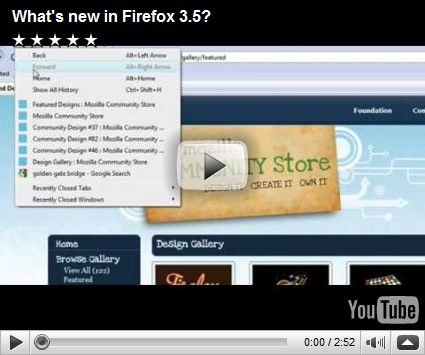
Mozilla is all set to release new version of Firefox which is Firefox 3.5.  This time they have some pretty cool new features which will make us stick to it. So lets quickly have a look what all is new in Firefox 3.5.

Few Features of Firefox 3.5   Firefox_3.5

  1. Its faster- 1524 ms on Windows XP machine
  2. More secure - Browse in private mode
  3. Open Video – Video will play without any plug-ins
  4. Location Aware Browsing – This tell websites where you’re located.
  5. New Web Technologies – Downloadable Fonts, CSS Improvements, Web Worker Threads, SVG, JSON and lots more

Firefox 3.5 Demo:


If you want to try your hands on Firefox 3.5 then you can try download and use its release candidate, go ahead give it a try and share your experiences with us by leaving comments below.

[via: Mozilla]

Labels:

Tuesday, January 13, 2009

Update To New Google Favicon in Firefox Search Bar

You all know about the resent change of Google favicon, but Firefox users may have noticed that still the search box has the classic Google favicon. This search box comes integrated with the Firefox browser.

Firefox_google_old_favicon

If any one of you are eager to update it to the new Google favicon then you have to make a small and a quick update as follows:

  1. You have to download this update version of the Google Search plug-in.
  2. On Windows Machine:

    Search the folder "Serachplugins" located in the Firefox folder in Program Files.

    Example:
    C:\Program files\Mozilla Firefox\searchplugins

  3. On Linx Machine:

    This might be the part
    /usr/lib/firefox-addons/searchplugins


    NOTE: Do keep a copy before changing the original google.xml file which came with the Firefox installation. So that you can change back to the old Google favicon in the search box if you want too.
  4. And then replace the file google.xml with the new downloaded google.xml file.
  5. Save the file and then restart Firefox.
  6. How cool does that look…smile_shades

Firefox_google_new_favicon

If you want to change back to old Google favicon in the address bar then have a look at this post:
Google Favicon Has been Changed Once Again

Via: Mozilla Links

Labels: ,

Thursday, February 21, 2008

Internet Explorer tabs in Mozilla Firefox

Embedding Internet Explorer in tabs of Mozilla Firefox.


This is a great tool for web developers, since you can easily see how your web page displayed in IE with just one click and then switch back to Firefox. And it can be used as a second way to use two different accounts in Firefox page.


Just follow these steps:-


1) Download Internet Explore Tab. from your firefox page

(In case you have Block pop-up window under your address bar then just accept it for orkutsharing. And then again try to install Internet Explore Tab. )

2) Select View from the Tool bar in it select Toolbars in it select Customize

View -> Toolbar -> Customize


3) Now in Customize Toolbar Scroll down till you find IE Tab


4) Click and drag IE Tab icon between address bar and home icon. That's it now you can switch in the firefox or Internet Explore pages by clicking on it.


Labels:

Use Two different accounts in firefox

Here comes one of the most awaited tricks!

Using two different accounts in firefox: -

There are two ways to do this trick

1) Using two different fierfox pages

2) Using only one fierfox page

1. By using two different fierfox pages:-

# Creating a New Profile for FIREFOX.

By default firefox runs in default profile. To run another instance of firefox with different profile you need to create first a different profile in firefox. This can be done by the folling steps:-

# For Window user only:-

1) Run firefox setup command with command line parameter CreateProfile followed by profile name. (which can be your name for example like Ravish.)

2) Click on Start -> Run

3) Execute firefox setup command with followed by the command line parameter (CreateProfile and profile name). Like shown under
"C:\Program Files\Mozilla Firefox\firefox.exe" -CreateProfile Ravish
4) Now again click on Start -> Run

5) Execute firefox setup command with followed by the command line parameter, but this with (–no-remote –p and profile name) where profile name need to be same name of the profile you had used in step 1 while creating a new profile. Like shown under
"C:\Program Files\Mozilla Firefox\firefox.exe" -no-remote -P Ravish
Where Ravish is name of the profile you want to create. You can use any name.

6) Hit ENTER the profile will start in new context!

(Note that the path C:\Program Files\Mozilla Firefox\ may change as per your installation directory.)

You always have to run the 5th step to use a new fierfox page for new account or you can skip it by doing following steps:-

1) Right-click on Mozilla Firefox icon on your desktop and select copy option from right-click menu.

2) Then paste it at your desktop or any other place like.

3) It may appear with name like Copy of Mozilla Firefox, change it to some convenient name which you like, or else skip this step.

4) Now again right-click on the new Mozilla Firefox icon you just made and click on Properties option in right-click menu.

5) Go to Shortcut tab in properties window.

6) In Target you may find –
“C:\Program Files\Mozilla Firefox\firefox.exe”
change it to
“C:\Program Files\Mozilla Firefox\firefox.exe” -no-remote -P Ravish

(See screen shot below for more help)
7) Now click OK.


2. By using only one fierfox page Click here . This one is great trick...

Labels: